
Early Access guide
Map and Finding the Right Marker
Checked November 11, 2026 · Early Access
Start with the object you need to find, then select a community map that exposes that category. Confirm it is for ArcheAge Chronicles and restrict your route to the regions available in your client. A marker is most useful when you also check its named landmark and any progression requirement.
Choose an entry point for the task
TH.GL’s Chronicles map and database is a candidate for resource and item lookups. Its creator describes gathering categories, dungeon maps, item sources and checklists. RaidDex’s world map advertises quest search, gathering filters, region selection and an Early Access switch. MetaForge’s Chronicles map is another dedicated entry point with a linked database.
These are external community tools. This site checked their identity and available page descriptions, without reproducing their datasets or claiming an in-game completion test. Their marker counts and account features can change.
Turn a marker into a route
- Search the exact object, boss, quest or resource name.
- Keep the relevant layer visible and reduce unrelated markers.
- Read the named region and landmark before following a pin.
- Compare those names with your in-game map.
- Check an item or quest source for the prerequisite that opens the area.
- Record the visit only after you have checked the actual object in your own game.
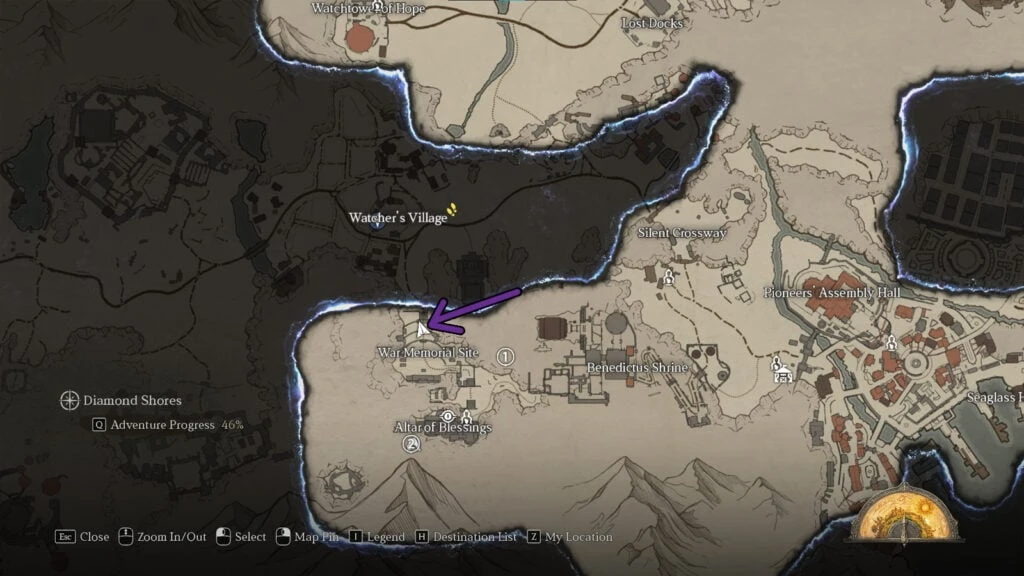
For example, the pickaxe walkthrough pairs War Memorial Site with a particular stone beside the stairs toward Watcher’s Village. The world-map location alone leaves a local search to finish. Keep both pieces of information when planning a resource trip.
When a marker does not match
First confirm the game identity. The original ArcheAge and Chronicles share place names, while their content and systems differ. Then check whether the tool is showing demo content, the full world or the three-region Early Access area.
Compare the object’s name and quest stage before treating a missing pickup as a broken map. A source may describe an object in another part of the location, or one your character already opened. The official progression article says exploration chests can be opened once per character. Avoid assuming that a missing object has a repeatable respawn timer.
Common questions
Is this an official interactive map?
The linked maps are community projects. This page helps choose a task and check its route against the current game.
Which regions are in Early Access?
The Steam description lists Diamond Shores, Gylden Ruins and Astron Plains.
Sources and scope
This guide uses official notices and attributed community material. It does not claim a first-hand playtest. Source links open in the current tab.